

 Global
Production equipment is expected to operate over long periods, yet manufacturers face growing challenges, including shortages of skilled engineers and increasing maintenance workloads.
At the same time, many users wish to preserve the screen data and operational know-how accumulated over years when upgrading their equipment. The NS-B Series is a programmable terminal that inherits the screen assets and development environment built through the widely adopted NS Series.
By leveraging these existing assets, it minimizes the effort required for equipment upgrades and supports reliable, long-term operation of production equipment.
New
NS-B Series
Programmable Terminals
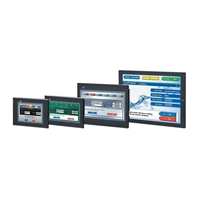
Empowering on-site operations with existing NS Series assets
Related Contents
- Programmable Terminals
- Features
- Lineup
- Specifications
- Dimensions
- Catalog
last update: October 1, 2026
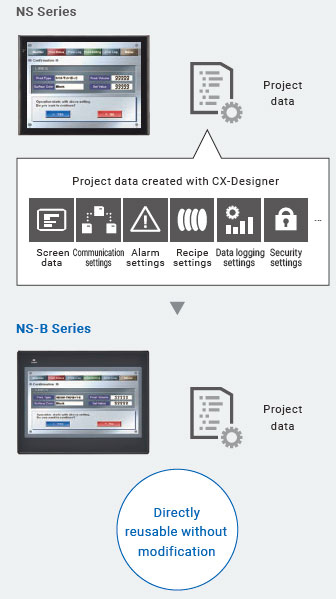
Leverage your existing NS Series screen assets without modification
Leverage your screen assets without modification
By simply leveraging NS Series project data, existing screen assets can be reused, reducing the effort required to redesign screens during equipment upgrades.
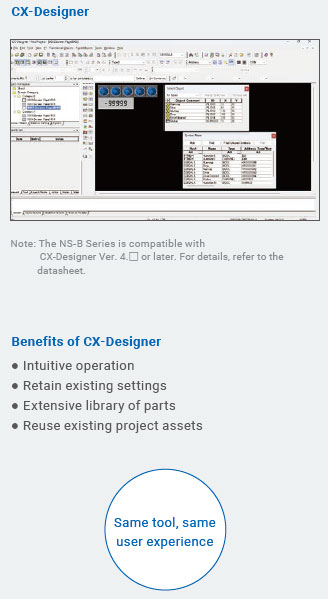
Continue using your existing design tool
The NS-B Series can be used with your familiar CX-Designer software. There is no need to learn a new design tool or redesign existing screens, significantly reducing design effort during equipment upgrades.
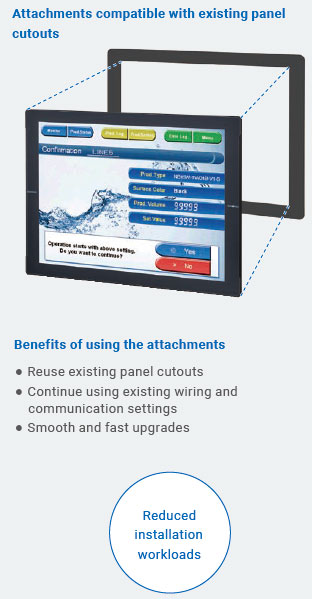
Install directly into existing equipment
Replacement panel cutout attachments are available for upgrades from the NS Series, eliminating the need for additional panel modifications. Upgrades can be completed quickly and easily, reducing the effort required for equipment replacement.
Continue using your existing PLC system
Programs for the CJ/CS Series PLCs can be used with the CJ3M. The NS-B Series supports connectivity with both legacy and current PLC platforms, providing flexibility for full system replacements or phased upgrades.
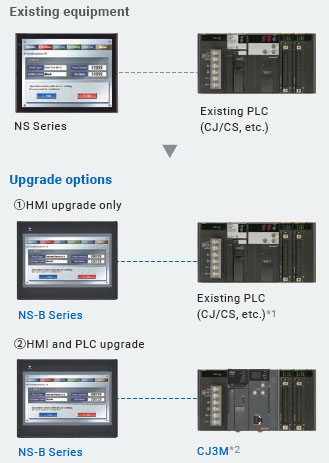
Communication environment
RS-232C: NT link / Host link
Ethernet: FINS / EtherNet/IP
*1. For supported PLC models, communication methods, and functions, refer to the latest manuals.
*2. For details on the CJ3M, refer to the Programmable Controller CJ3M Brochure (Cat. No. P179).
Simple screen development and intuitive operability
With the simple screen development environment and intuitive operability inherited from the NS Series, users can be productive from day one. In addition to efficient screen development with CX-Designer, the NS-B Series provides a wide range of practical features for manufacturing environments, including graph visualization and multilingual support.
Simplified operation
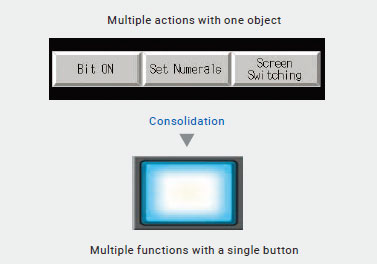
Multiple functions in a single object. Fewer buttons help reduce operational errors
Multifunction
Consolidate multiple buttons into a single button operation.
The multifunction feature allows multiple actions to be executed with a single touch, supporting up to 32 operations from one object.
Enhanced visualization
Visualize equipment status with versatile graphing capabilities
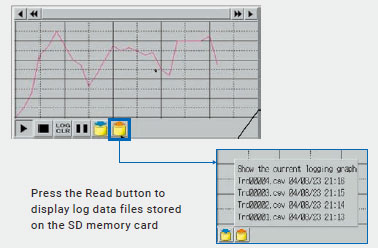
Data Log Graph
Collect up to 128 data points at 500 ms intervals. Logged data can be saved as CSV files to external memory devices.
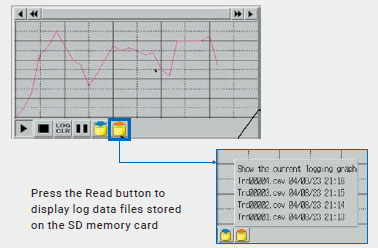
Line Graph
Display current values from multiple consecutive communication addresses in graph form.
Zoom in on areas of interest and view historical data.
Multi-language support
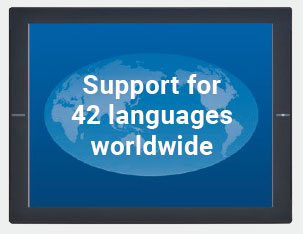
Supports 42 languages. Up to 16 selectable languages
Unicode compliant
Supporting Unicode enables the display of up to 42 Asian and European languages on a single screen, including mixed-language text.
This allows users at overseas locations to work easily in their local language.
Easy creation of multilingual screens
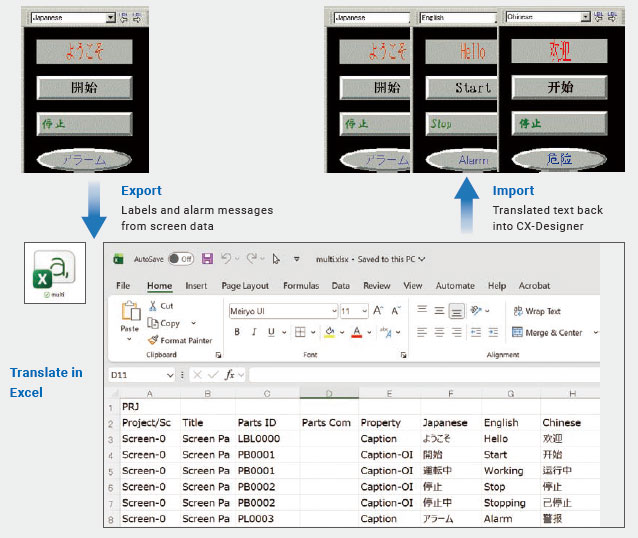
Easily create multilingual screens by importing translated text from Excel back into CX-Designer.
Minimize equipment downtime
Access critical information on-site to accelerate troubleshooting when issues occur. On-site ladder monitoring, history analysis, screen data protection, and data comparison capabilities help streamline the entire troubleshooting process, from cause identification to recovery, minimizing equipment downtime.
Status monitoring
Check PLC status on-site without a PC
Ladder Monitor [Available through a future update]*1
Monitor ladder programs directly on the NS-B Series screen without the need for a PC.
Ladder programs with I/O comments can be monitored and edited directly on the screen.
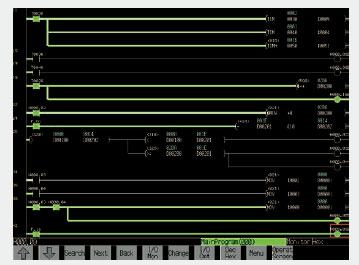
*1. This function will be supported through a future software update.
Device Monitor [Available through a future update]*1
This maintenance feature allows monitoring and editing the PLC device data, including CIO, WR, HR, DM, and EM areas, directly from the NS-B Series screen without a PC. View and modify current PLC channel values directly from the NS-B Series.
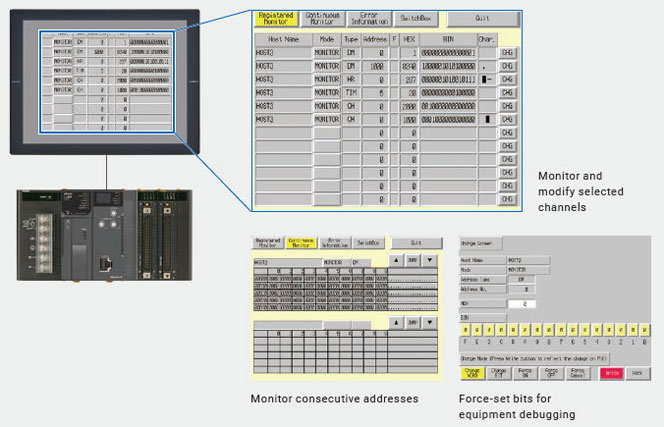
*1. This function will be supported through a future software update.
History analysis
Analyze events chronologically without a PC
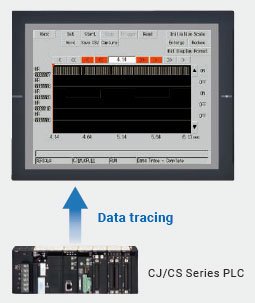
PLC Data Trace [Available through a future update]*1
Perform data tracing (monitoring PLC operation over time) directly on the NS-B Series without a PC.
View PLC bit behavior in a time-chart format and save trace data as CSV or BMP files.
*1. This function will be supported through a future software update.
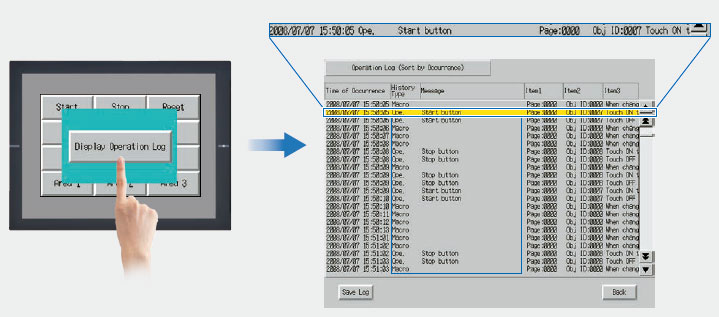
Operation Log
Record operation history to identify what was done and when. In addition to touch panel operations, control panel button operations can also be logged and displayed.
Safe and secure equipment operation
Protect screen data with password authentication and role-based access control. Create a secure operating environment that safeguards critical data while enabling reliable equipment operation for all users.
Secure operation
Protect critical data with password authentication, access control, and data p rotection features
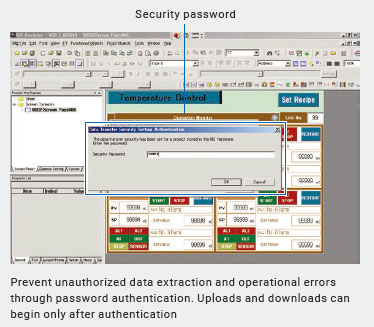
Screen Data Security
Protect data and control user access.
By setting a password during screen development, password authentication is required for screen data uploads and downloads, helping keep data secure.
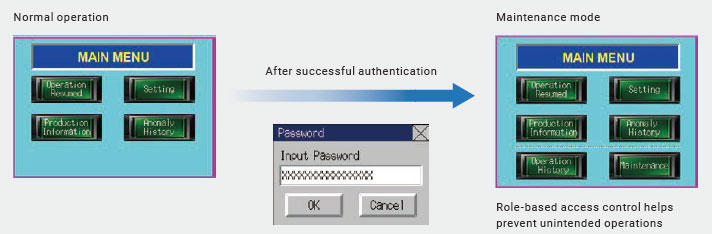
Password Authorization
User operations can be restricted based on individual authorization levels.
last update: October 1, 2026
 Top of Page
© Copyright OMRON Corporation 2007 - 2026. All Rights Reserved.